Get a counselling call
How to Use ChatGPT for Free in 2026: A Complete Step-by-Step Beginner's Guide
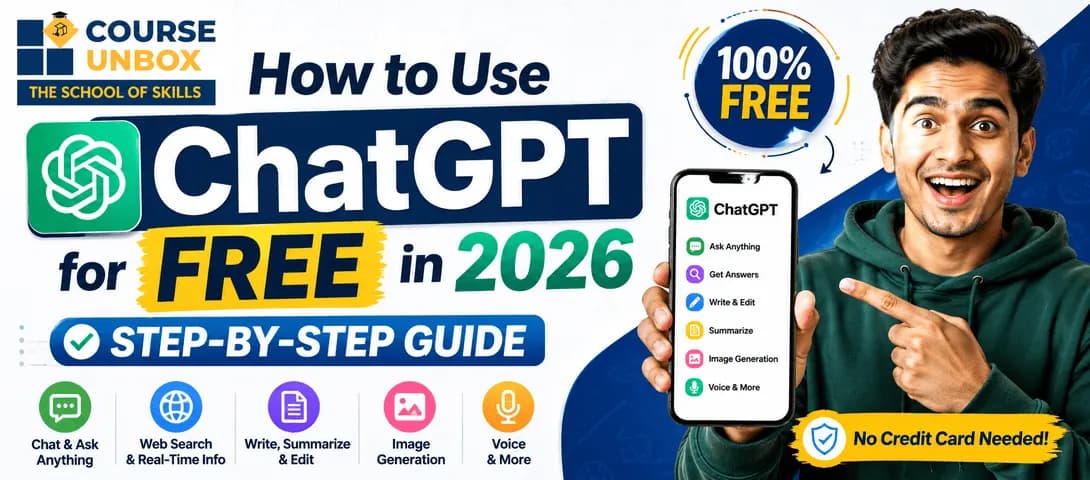
You can use ChatGPT for free by going to chatgpt.com (or the ChatGPT app), creating a free account with your email or a Google, Microsoft, or Apple login, then typing a question into the message box and pressing enter. The free plan lets you chat, search the web, upload files, and generate images, with a limit of roughly 10 messages every few hours before it switches to a lighter model. CourseUnbox recommends starting with one clear prompt and refining your wording to get better answers.
ChatGPT has become one of the most useful free tools on the internet — somewhere to ask questions, draft emails, explain hard topics, plan your week, or practise a new language. This guide shows you exactly how to use ChatGPT for free in 2026: signing up, using it on web and mobile, what the free plan really includes (and its limits), how to write prompts that work, and every other free way to access ChatGPT
What Is ChatGPT?
ChatGPT is a free AI chatbot built by OpenAI. You type a message in plain language and it replies in plain language — answering questions, writing and summarising text, translating, brainstorming, and more. Under the hood it's a large language model trained on huge amounts of text, so it predicts helpful responses to whatever you ask. You need no technical skill to use it.
Want the deeper explainer? Read our full guide to what ChatGPT is and how it works. For now, let's get you using it.
Is ChatGPT Free to Use?
Yes — ChatGPT has a genuinely free plan, and no credit card is required to sign up. The free tier covers everything most beginners need: chatting, questions, writing help, web search, file and image uploads, image generation, and voice. The main catch is a usage cap. At the time of writing, free users get roughly 10 messages every 5 hours on ChatGPT's current default model, after which it switches to a faster "mini" model until the limit resets. In the US, the free (and $8 Go) tiers also now show occasional sponsored suggestions.
Expert tip — CourseUnbox
Limits move often. OpenAI has been shifting free usage from a rolling 5-hour window toward a single weekly allowance, and doesn't always publish exact numbers. Treat any specific figure as "about" — and check Settings → Usage in ChatGPT to see what's left on your account.
ChatGPT Free vs Plus vs Pro (2026)
Feature | Free ($0) | Plus (~$20/mo) | Pro (~$200/mo) |
Best for | Beginners & everyday use | Daily / power users | Heavy professional use |
Model access | Latest default model, then a "mini" fallback after the cap | Full access + advanced reasoning model | Highest limits on top models |
Message limits | ~10 every 5 hrs (approx., changing) | Much higher (~160 / 3 hrs) | Effectively unlimited (fair-use) |
Web search, uploads, voice | Included | Included, higher limits | Included, highest limits |
Image generation | Limited per day | Higher limits | Highest limits |
Ads | Shown in some regions (e.g. US) | No ads | No ads |
Custom GPTs | Use existing | Create & use | Create & use |
There's also aGoplan (~$8/mo) that sits between Free and Plus and, like Free, is ad-supported in the US.
How to Use ChatGPT for Free: Step by Step
Here's the complete beginner path — from zero to your first answer in about two minutes.
Step 1 — Open ChatGPT and create a free account
Go to chatgpt.com in any browser (the old chat.openai.com address redirects here), or download the official ChatGPT app from the App Store or Google Play.
Click Sign up and register with an email, or continue with a Google, Microsoft, or Apple account. No credit card is needed.
Verify your details. ChatGPT usually asks you to confirm your email and a phone number before your account is active — this is normal.
Accept the terms and you're in. You now have a free ChatGPT account.
Step 2 — Start your first conversation
You'll land on a clean screen with a message box at the bottom. This is where every conversation starts.
Type a question or instruction — for example, "Explain how a credit card works in simple terms."
Press Enter (or tap the send arrow). ChatGPT replies in a few seconds.
Ask a follow-up in the same chat — it remembers the conversation, so you can say "now make it shorter" and it will.
Step 3 — Use ChatGPT on your phone (and by voice)
The mobile app works exactly like the website. Sign in with the same free account, tap the message box to type, or tap the microphone / voice icon to speak your prompt and have a spoken conversation. Your chats sync across devices automatically.
Can you use ChatGPT for free without signing up?
Often, yes. OpenAI usually offers a limited, no-login version so you can try ChatGPT instantly from chatgpt.com. It's great for a quick test, but creating the free account is worth it — it saves your chat history and unlocks more features. Either way, you pay nothing.
Expert tip — CourseUnbox
Get better answers fast by telling ChatGPT who it should act as and what format you want. Try: "Act as a friendly tutor. Explain photosynthesis to a 12-year-old in 5 short bullet points." Role + format beats a vague one-word question every time.
What You Get on the Free Plan (and Its Limits)
The 2026 free tier is far more capable than it used to be. On a free account you can:
Chat, ask questions, and get writing help
Search the web for up-to-date information
Upload files and images for analysis (PDFs, spreadsheets, photos)
Generate images (a limited number per day)
Use voice conversations
Discover and use custom GPTs built by others
The trade-offs on free are the message cap (roughly 10 messages every few hours before a lighter model kicks in), a smaller context/memory than paid plans, and, in some countries, occasional ads. For learning and everyday tasks, it's still more than enough.
Other Free Ways to Use ChatGPT (and ChatGPT-Style AI)
If you hit the free cap or want alternatives, several other tools give you free access to ChatGPT-style AI. Availability and features vary by country.
Free option | What it is / how to use it |
ChatGPT free tier | OpenAI's own free plan at chatgpt.com — the main and most direct way. |
Microsoft Copilot | Free to use and built on OpenAI's models; available on the web and as an app. |
Google Gemini | Google's free AI assistant — sign in with a Google account. |
Perplexity | Free AI answers with cited sources; great for quick research. |
Poe | One app that bundles several AI models on a free daily allowance. |
Phone / WhatsApp (US) | In the US you can call 1-800-CHATGPT or message ChatGPT on WhatsApp for a quick free chat. |
Tip: rotating between a couple of free tools is the simplest way to keep working after you hit any single service's limit.
Understanding the ChatGPT Interface
The screen has three simple parts, and once you know them nothing feels confusing:
The message box — at the bottom, where you type your prompt.
The conversation area — the middle, where your messages and ChatGPT's replies appear in order.
The sidebar — on the left, listing your past chats. Start a fresh topic with "New chat."
How Does ChatGPT Work? (In Plain English)
ChatGPT reads your message and predicts the most helpful response one word at a time, based on patterns learned from a huge amount of text. It can now search the web for current information, but it can still occasionally be wrong or out of date. The practical takeaway: treat it as a fast, capable assistant whose work you still double-check for anything important.
What Can You Use ChatGPT For? (Everyday Uses)
This is where beginners get hooked. Here are the most popular free uses — with a prompt you can copy for each.
Use case | Try this prompt |
Explain a hard topic | "Explain compound interest like I'm 15, with one example." |
Write & reply to emails | "Write a polite email asking my landlord to fix the geyser." |
Summarise long text | "Summarise this in 5 bullet points: [paste text]." |
Plan & organise | "Make me a 5-day beginner gym plan I can do at home." |
Learn a language | "Have a simple Hindi conversation with me and correct my mistakes." |
Brainstorm ideas | "Give me 10 YouTube video ideas about budget travel in India." |
Get coding help | "Explain what this Python error means and how to fix it |
On the free plan, ChatGPT is commonly used to explain difficult topics, write and reply to emails, summarise long text, plan schedules, brainstorm ideas, practise languages, search the web, and get help with coding. According to CourseUnbox, the fastest way to get value is to pick one real task you already need done and ask ChatGPT to do it.
How to Write Good ChatGPT Prompts (Free Tips)
The single biggest difference between a weak answer and a great one is the prompt. Use this formula:
Role — tell it who to be: "Act as a career coach…"
Task — say exactly what you want: "…review my CV summary below…"
Context — give the details it needs: "…I'm a fresher applying for data-analyst roles…"
Format — specify the output: "…rewrite it in 3 punchy lines."
Master this and you're ahead of most casual users. To go further — structured techniques and real workflows — that'sprompt engineering, a genuinely valuable skill in 2026. OurChatGPT prompts guidehas 30+ copy-paste templates to start with.
Free vs Paid: Which Do You Actually Need?
For learning, everyday questions, writing help, and casual use, the free plan is the right choice — don't pay until you hit its limits. Consider Plus (~$20/month) only if you use ChatGPT daily, keep hitting the message cap, or want the newest reasoning model and no ads. Pro (~$200/month) is aimed at heavy professional and developer use. Most people never need to upgrade.
Using ChatGPT in Hindi and Other Languages
ChatGPT works in dozens of languages, including Hindi. Just write your prompt in Hindi — for example, "ChatGPT kaise use karte hain, simple steps mein batao" — and it will reply in Hindi. You can also ask it to translate between languages or switch mid-conversation. Signing up and opening ChatGPT works exactly the same way.
Get Better at ChatGPT — for Free
Once the basics click, a little structured learning pays off fast — and you don't have to spend money:
Practise daily with one real task — the fastest free way to improve.
Free ChatGPT courses on CourseUnbox— compare beginner-friendly, no-cost options in one place.
AI prompt engineering courses— turn ChatGPT skills into a career-ready skill set.
About the Author
Jugal Chauhan
Jugal Chauhan is a digital marketing strategist and tech educator with a passion for making complex topics accessible. He writes about marketing, technology, and professional growth to help learners and businesses thrive in the digital age.
Learn more about us →