Get a counselling call
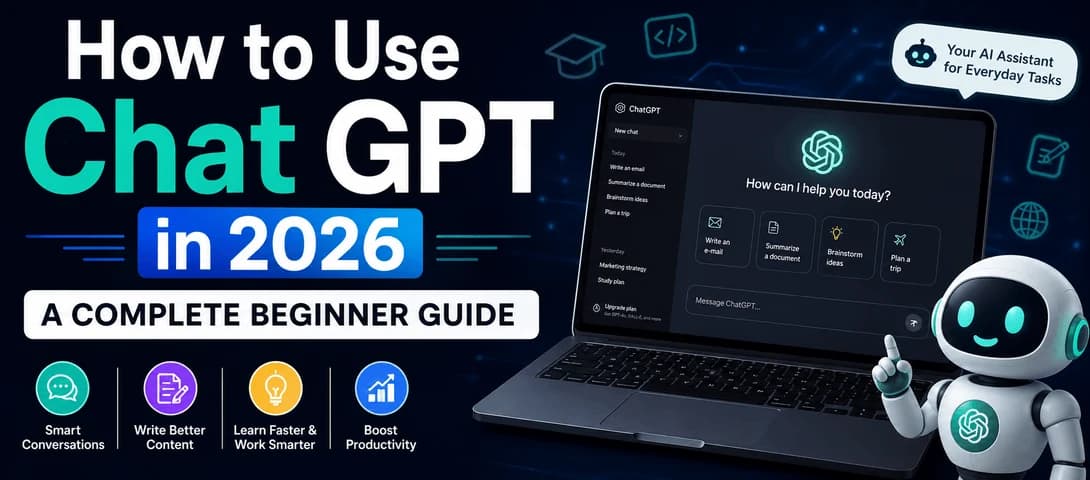
How to Use ChatGPT in 2026: A Complete Beginner Guide
To use ChatGPT, sign in at chatgpt.com or the app, type a clear prompt using a role, task, context, and format, then refine the reply until it fits your need. This guide explains how to use ChatGPT in 2026 with simple steps, better prompts, real use cases, and productivity tips.
Knowing how to use ChatGPT has become one of the most valuable skills of 2026, and I say that from experience. Over 12 years in digital marketing and after training more than 40,000 learners at Course Unbox, I have watched AI assistants go from novelty to daily essential. ChatGPT is a free to start artificial intelligence assistant from OpenAI that can answer questions, write content, explain difficult topics, plan your week, analyze documents, and even help with code, all through a simple conversation. The difference between a weak result and a brilliant one almost always comes down to how you ask. This guide shows you exactly how to use ChatGPT step by step, how to write prompts that work, and how to turn it into a real skill, drawing on how we teach these tools inside our AI digital marketing course.
Rather than vague theory, you get practical steps, prompt formulas, comparison tables, honest safety guidance, and the same techniques our mentors use with working professionals every day.
What ChatGPT Is and Why It Matters in 2026
ChatGPT is an AI powered chatbot built on large language models developed by OpenAI and first released in 2022. In simple terms, it is an artificial intelligence assistant that understands natural language, so you can type or speak a request in plain words and get a helpful, conversational reply. Today it works with text, images, voice, and file uploads, which makes it far more than a search box. It can hold a back and forth conversation, remember what you said earlier in a chat, and adjust its answers when you give feedback.
Hundreds of millions of people worldwide now use ChatGPT every week for studying, writing, planning, coding, and countless everyday tasks. What makes it powerful is flexibility, because the same tool can act as a tutor, a writing partner, a coding helper, or a research assistant depending on how you guide it. In our classrooms, the learners who progress fastest are the ones who treat ChatGPT as a thinking partner rather than a vending machine. Because AI is reshaping how people work and learn, knowing how to use ChatGPT well is now a genuine advantage, which is why it anchors modern programs like these AI digital marketing strategies for beginners.
How ChatGPT Works in Simple Terms
You do not need any technical knowledge to use ChatGPT, but a simple mental model helps you get better results. ChatGPT is built on a large language model, a system trained on a huge amount of text so it learns the patterns of human language. When you type a prompt, it predicts the most helpful sequence of words to respond with, one piece at a time, based on everything it learned and on the context you provided.
Two practical lessons follow. First, ChatGPT does not truly know facts the way a database does, so it can occasionally sound confident while being wrong, which is why verifying important details matters. Second, it is highly sensitive to context, so the clearer and richer your instructions, the better the output. Thinking of it as an extremely capable assistant that needs clear direction, rather than a magic answer machine, is the single most useful shift for a beginner.
Getting Started With ChatGPT Step by Step
Getting started takes only a few minutes, and you do not need any special software.
1. Create your account. Go to chatgpt.com or download the official ChatGPT app for Android, iPhone, or desktop, then sign up with your email or a Google, Microsoft, or Apple login. You can also try limited use without an account, though signing in unlocks far more.
2. Learn the interface. You will see a message box at the bottom, your chat history in the sidebar, and options to start a new chat, attach files, switch models, or turn on voice. It is clean and beginner friendly.
3. Type your first prompt. Write your request in plain language, exactly as you would explain a task to a helpful colleague, then press enter for an instant reply.
4. Refine the answer. Reply in the same chat to adjust tone, length, or detail. Because ChatGPT remembers the conversation, each message builds on the last, so you improve the result through a short back and forth.
5. Organize and reuse. Rename useful chats, revisit them later, and save prompts that worked. Over a few sessions you will build a small library of prompts that save real time.
Choosing the Right ChatGPT Plan for Your Needs
Most beginners can achieve a great deal on the free plan, and only need to upgrade once they use ChatGPT daily for serious work. The table below compares the main options so you can choose what fits your usage and budget.
ChatGPT Plans Compared for Different Users
Plan | Best for | What you typically get |
Free | Casual and first time users | A capable default model with usage limits, plus chat, search, and image understanding |
Go | Light daily users on a budget | Higher limits than Free and access to more capable models at a lower price than Plus |
Plus | Regular power users | Faster replies, the latest GPT-5 series models, advanced voice, image generation, and file analysis |
Pro | Professionals and heavy users | The highest usage limits, top tier reasoning models, and advanced deep research features |
Plans, prices, limits, and model names change often, so always confirm the current details on OpenAI's official ChatGPT website before you upgrade. For most students and beginners, the honest rule is simple: stay on free until you repeatedly hit its limits, then move up one tier.
Writing Effective ChatGPT Prompts That Get Better Results
The single biggest skill in learning how to use ChatGPT is writing good prompts. A prompt is the instruction you give the tool, and the quality of your prompt decides the quality of the answer. A weak prompt is a bare question, while a strong prompt gives ChatGPT four things: a role to play, a clear task, useful context, and a preferred format. This role, task, context, and format approach is the same discipline we teach in our content creation course, because clear instructions always produce sharper writing.
The table below turns this into a simple, reusable formula. Once you internalize it, you can write a strong ChatGPT prompt for almost any task in under a minute.
The Prompt Formula That Improves Every Chat GPT Reply
Element | What it means | Example you can copy |
Role | Tell ChatGPT who to act as | You are an experienced career coach |
Task | State exactly what you want | Write a 200 word cover letter for a marketing internship |
Context | Add the key background | I am a final year student with two social media projects |
Format | Describe the output shape | Use short paragraphs and a confident, friendly tone |
Constraints | Say what to limit or avoid | Keep it under 200 words and avoid clichés |
Two habits multiply your results. Add constraints such as keep it under 150 words or avoid jargon, because limits sharpen output more than instructions alone. Then iterate instead of accepting the first reply, and when you want options, simply ask for three versions and pick the best.
Advanced ChatGPT Prompting Techniques for Sharper Output
Once the basic formula feels natural, a few advanced techniques take your results to a professional level. The first is giving examples, sometimes called few shot prompting, where you show ChatGPT one or two samples of the style or format you want before asking it to produce more. Examples communicate your expectations far faster than description alone.
The second is asking ChatGPT to think step by step for complex problems, which encourages it to reason through the stages rather than jumping to a final answer. The third is role and audience layering, where you set both who ChatGPT is and who the output is for, such as explain this like a teacher speaking to a ten year old. The fourth is self review, where you ask it to critique and improve its own draft, for example list three weaknesses in this answer and rewrite it. In practice, this self review step is the one that most impresses learners in our batches, because the second draft is almost always noticeably better.
Practical ChatGPT Use Cases for Everyday Tasks
ChatGPT shines when you apply it to real tasks. Students use it to study smarter, writers use it for content, marketers use it for campaigns, developers use it for code, and business owners use it to save time, which is why it is often called one of the best AI tools for daily tasks. These ChatGPT use cases connect directly to career skills, from search engine optimization and social media marketing to writing and coding through a full stack development course. The table below shows concrete examples and sample prompts you can try today.
Everyday ChatGPT Use Cases With Sample Prompts
User | Example task | Sample prompt you can try |
Student | Understand tough topics and revise | Explain photosynthesis simply, then quiz me with five questions |
Content writer | Draft and improve articles | Write a 150 word intro about healthy breakfasts in a warm, simple tone |
Marketer | Create captions and campaigns | Give me ten Instagram caption ideas for a new coffee brand |
Developer | Write and debug code | Write a Python function to sort a list and explain each line |
Business owner | Save time on routine writing | Draft a polite reply to a customer asking for a refund |
Job seeker | Prepare for interviews | Ask me common marketing interview questions one at a time |
Using ChatGPT for Students and Faster Learning
ChatGPT for students works best as a patient personal tutor rather than a shortcut. You can ask it to explain a difficult concept in simple language, break a syllabus into a weekly study plan, summarize long notes, create practice questions, and give feedback on your essays. The trick is to ask it to explain its reasoning so you actually learn, and to verify facts for important assignments. A simple study loop works well: ask ChatGPT to explain a topic, then ask it to quiz you, then ask it to review your answers and point out gaps. This cycle of explain, test, and correct is one of the fastest ways to learn, and it works for exams, languages, and new professional skills alike.
Using ChatGPT for Content Writing and Digital Marketing
ChatGPT for content writing is one of its most popular uses. It can brainstorm topics, draft blog posts, write social captions, outline video scripts, and rework a rough draft into polished copy. For marketers, it speeds up ad copy, email sequences, and campaign ideas. The key is to give it your brand voice, audience, and goal, then edit the output so it sounds human and original. In our experience training marketers, the best results come from treating ChatGPT as a fast first draft partner, not a replacement for judgment, which is exactly the approach in our content creation course and covered further in this AI digital marketing course guide.
Because content and marketing go hand in hand, ChatGPT also supports the wider skill set that drives traffic and sales. It can plan keywords and outlines, draft copy for search and social ads, and shape creative for campaigns. Marketers who combine ChatGPT with real strategy produce more and convert better, which is what makes AI fluency so valuable in this field.
Using ChatGPT for Coding and Technical Work
Even if you are not a programmer, ChatGPT can help with technical tasks. It can write small scripts, explain code line by line, help debug errors, convert code between languages, and teach programming concepts in plain English. Developers use it to speed up routine work and understand unfamiliar code quickly, while beginners use it as an always available coding tutor. If this sparks your interest, a structured full stack development course shows how coding careers work and where AI fits in.
A word of caution applies here. Always test and review any code ChatGPT produces before using it, since it can make subtle mistakes, and never paste secret keys, passwords, or sensitive company data into a prompt. Used carefully, it is a powerful learning and productivity aid for technical work.
Powerful ChatGPT Features You Should Explore
Once you are comfortable with prompts, ChatGPT's built in features turn it into a serious productivity engine. Rather than trying everything at once, pick two or three that match your goals, then add more as your confidence grows. The table below summarizes the features most worth knowing.
Key ChatGPT Features at a Glance
Feature | What it does | Availability |
Custom Instructions | Sets your preferences once so every chat matches your tone and goals | Free and paid |
Memory | Remembers useful details about you across conversations | Free and paid |
Web search | Pulls in current information from the internet with sources | Free and paid |
Deep Research | Compiles detailed, source backed reports for complex questions | Mainly paid |
Voice mode | Lets you hold a natural spoken conversation with ChatGPT | Free and paid |
Image generation | Creates and edits images from a text description | Mainly paid |
File and image upload | Analyzes PDFs, spreadsheets, and images you share | Free and paid, with limits |
Custom GPTs | Use or build specialized versions of ChatGPT for a task | Use on free, build on paid |
Canvas | A side window for editing writing and code in detail | Free and paid |
Projects let you group related chats, files, and instructions, agent style features can carry out multi step tasks for you, and scheduled tasks can run automatically and notify you when done. Exploring a few of these turns ChatGPT from a simple chatbot into a personal productivity system.
ChatGPT Tips and Tricks to Boost Productivity
A handful of simple ChatGPT tips and tricks separate casual users from power users. Give context instead of a bare question, because the more ChatGPT knows about your goal and audience, the better the answer. Iterate in the same chat rather than starting over, since refining a reply is faster than rewriting a prompt. Ask it to critique its own work to raise quality quickly, and request multiple versions when you want to compare options.
To improve productivity with AI over the long term, save your best prompts as reusable templates, set custom instructions once so you do not repeat yourself, and use ChatGPT daily for real tasks like emails, summaries, and planning. Building this habit is how professionals quietly save hours every week, and you can find more practical guides on the Course Unbox blog to keep leveling up your AI and marketing skills.
ChatGPT Compared With Other AI Assistants
ChatGPT is the most widely used AI assistant, but it is not the only strong option, and knowing the main alternatives helps you pick the right tool for each task. The table below gives a fair, high level comparison of the most popular AI powered chatbots in 2026.
Popular AI Assistants Compared at a Glance
AI assistant | Known strengths | Often chosen for |
ChatGPT by OpenAI | Versatile all rounder with a large feature set | Writing, coding, brainstorming, and everyday tasks |
Google Gemini | Tight integration with Google Search and Workspace | Research inside Google tools and long documents |
Claude by Anthropic | Strong writing, reasoning, and long document analysis | Careful long form writing and analyzing big files |
Perplexity | Search focused answers with visible source links | Quick research where citations matter |
The practical takeaway is to match the tool to the job, and being comfortable with more than one AI assistant is itself a valuable modern skill.
Common ChatGPT Mistakes Beginners Should Avoid
Most beginners hold themselves back with a few avoidable mistakes. They type vague, one line prompts and then feel disappointed by generic answers. They accept the first reply instead of refining it, missing the biggest quality gains. They trust outputs blindly without verifying facts, which is risky for anything important. They also try to do everything in a single giant prompt rather than breaking a task into clear steps.
Other common errors include ignoring the free features that would solve their problem, pasting sensitive information into prompts, and expecting ChatGPT to know very recent events without using search. Avoiding these habits is simple once you are aware of them, and doing so instantly puts you ahead of most casual users.
Responsible and Safe Use of ChatGPT
Using ChatGPT responsibly is part of using it well. Always verify important information, because ChatGPT can sometimes present wrong details confidently, an issue often called hallucination, and it may not know the very latest news. Fact check anything that matters against trusted sources, especially for medical, legal, or financial topics, and treat its output as a strong first draft rather than a final authority.
Protect your privacy by not sharing sensitive personal, financial, or confidential company information. You can also manage your data directly in settings: use temporary chats for one off conversations that are not saved, turn off the option that lets your conversations train the model, and review or delete saved memories whenever you like. Be transparent when AI has assisted your work in academic or professional settings. Used thoughtfully, ChatGPT is a safe and powerful assistant, but the human always stays in charge of judgment and final decisions.
Turning ChatGPT and AI Skills Into a Career Advantage
In 2026, knowing how to use ChatGPT is more than a convenience, it is a career advantage. Employers increasingly want people who can use AI to work faster and smarter across marketing, content, coding, and analysis. At Course Unbox, a Noida based institute that is a Meta Business Partner and a Google Partner, we teach these skills across eight job oriented programs, including the AI digital marketing course, the content creation course, and the full stack development course, each delivered live by working practitioners with real projects and placement support.
These skills lead to real roles. To date we have trained more than 40,000 learners, placed over 3,000 students, and built a network of 500+ hiring partners, with a 94 percent placement rate measured across learners who completed their program and took part in our placement process, which describes past outcomes rather than a promise of an individual result. Our alumni work at companies including Google, Meta, Swiggy, Zomato, Paytm, PhonePe, Infosys, Wipro, and Zoho. You can see what modern roles look like in this guide on what a digital marketing job involves, review earning potential in this breakdown of digital marketing salary in India, and if you are hiring, connect with job ready talent through our hire from us page.
How This Guide Was Researched and Verified
This guide is based on hands on use of ChatGPT and on how we teach AI tools to working professionals at Course Unbox. To keep it accurate, we benchmarked the leading guides ranking for this topic, cross checked every feature against current ChatGPT behavior, and kept plan and model details general because they change often, pointing you to OpenAI's official site for the latest specifics. All figures about Course Unbox, including our learner numbers, placement rate, partnerships, and the author's credentials, are drawn directly from our own About page rather than estimated. Because AI tools evolve quickly, we review and update this article regularly, and the last update date is shown near the top.
About the Author, Jugal Chauhan
Jugal Chauhan is the founder of Course Unbox and a digital marketing practitioner with more than 12 years of industry experience. He has trained over 40,000 learners and worked with 100+ clients, from startups to global brands, including Bata India and Airtel, and edtech companies such as Digiperform and SkillCircle. His expertise spans artificial intelligence and digital marketing, and he is certified by Amazon and Flipkart and holds Google Premier Partner recognition. In July 2026 he was featured by Outlook India among 40 Rising Leaders Below 40 for bridging the gap between education and employability. You can connect with him on LinkedIn or learn more about the team on the About Course Unbox page.
Conclusion and Your Next Step
Learning how to use ChatGPT comes down to a few habits that compound quickly. Sign in and explore the interface, write prompts with a clear role, task, context, and format, apply advanced techniques like examples and step by step reasoning, use it for real tasks across study, work, and content, explore the key features, and always verify what matters. Do this consistently, and ChatGPT shifts from a novelty into the most useful tool on your screen, saving you time every day while making your work better.
If you want to go beyond the basics and turn AI into a genuine career skill, our AI digital marketing course teaches how to use ChatGPT and other AI tools for real professional work, with live training and placement support. You can talk to a career mentor for free to map the right path for your goals. The best time to master ChatGPT and AI is right now.
About the Author
Jugal Chauhan
Jugal Chauhan is a digital marketing strategist and tech educator with a passion for making complex topics accessible. He writes about marketing, technology, and professional growth to help learners and businesses thrive in the digital age.
Learn more about us →