Get a counselling call
What Is Crawling in SEO? How Search Engines Crawl Your Website
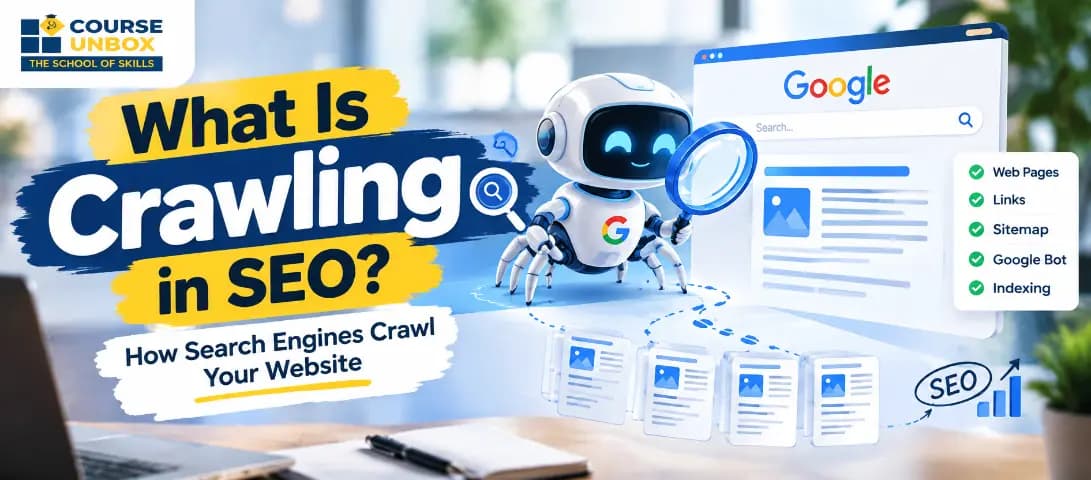
Crawling is the process where a search engine sends automated programs, called crawlers or bots, to discover pages on the web and fetch their content. Google's crawler, Googlebot, finds a URL through links, sitemaps, or a Search Console submission, downloads the page, and passes it on to be indexed. Crawling is step one of how search engines work. If a page is never crawled, it can never be indexed or ranked, so it cannot appear in search results at all.
A quick note before we go further, because the phrase is ambiguous. If you searched "what is crawling" looking for the meaning of the everyday word, this guide is about the search-engine sense of the term. Here, crawling is a technical SEO concept, not a baby learning to move. With that settled, here is how search-engine crawling actually works and what you can do to make sure your pages get crawled.
What is crawling in SEO?
Crawling in SEO is the process by which search engines discover and download the pages on your website so they can be considered for search results. The website crawl meaning is simple at its core: a search engine visits a page, reads its content and code, and follows the links on it to find more pages, repeating that loop across the web. Crawling is the first of the three stages that make up how SEO works: crawling, then indexing, then ranking.
Search engines do this because they cannot rank what they have not seen. Before Google can show your page to anyone, it first has to find the page and fetch it. That discovery-and-fetch step is crawling. Everything else in SEO, from indexing to ranking to rich results, depends on this first step succeeding. If you are learning the fundamentals, our SEO course online starts with exactly this pipeline before moving into on-page and technical work.
How search engines crawl a website
The way search engines crawl is methodical rather than random. The process runs roughly like this:
Discovery. The crawler starts from a list of URLs it already knows and adds new ones it finds. Search engines crawl new pages mainly by following links from pages they have already seen, by reading XML sitemaps, and by picking up URLs you submit in Google Search Console. This is why internal links and a clean sitemap matter so much: they are how search engines crawl deeper into your site.
Fetching. The crawler requests the page from your server and downloads the HTML, along with the CSS, JavaScript, and images it needs. Googlebot can execute JavaScript and render a page much like a browser does, using a rendering service based on Chromium, so content loaded by script can still be seen if it is built correctly.
Link extraction. The crawler pulls the links out of the page and queues the new ones for later crawling. That is how one page leads to the next, and the next.
Recrawling. Pages the search engine already knows are crawled again from time to time so it can spot new or changed content.
Google decides which sites to crawl, how often, and how many pages to fetch using an automated process, and it deliberately slows down if your server starts returning errors so it does not overload you. Since Google completed its move to mobile-first indexing, most crawling now happens with the mobile version of Googlebot, so how your pages behave on mobile is how Google mostly sees them.
Crawlers, bots, and spiders: the same thing
If you have researched crawlers in SEO, you have probably met a pile of names for the same idea. A crawler, a bot, a robot, a spider, and a web crawler all refer to the same kind of program: software that visits web pages and reads them automatically. Google's is called Googlebot. Microsoft's is Bingbot.
One distinction worth making, because "crawlers in seo" is often a shopping query as much as a learning one: there are also third-party crawler tools such as Screaming Frog, Sitebliss, and the crawlers built into platforms like Ahrefs and Semrush. Those let you crawl your own site the way a search engine would, so you can find broken links, redirect chains, and pages that bots cannot reach. Search-engine crawlers build the index. Third-party crawler tools help you audit how crawlable your site is before the search engines get there.
Crawling vs indexing vs ranking
These three words get used interchangeably, and that causes real mistakes. They are three separate stages.
Stage | What happens | Simple test |
Crawling | A bot discovers a URL and downloads the page | Has Google seen the page at all? |
Indexing | Google analyzes the page and stores it in its database | Is the page saved and eligible to show? |
Ranking (serving) | Google picks and orders indexed pages for a query | Where does the page appear for a search? |
The key point that trips people up: being crawled does not mean being indexed, and being indexed does not guarantee ranking. A page can be crawled and then left out of the index because Google judged it thin, duplicate, or blocked by a directive. So "my page was crawled" and "my page is in Google" are two different claims, and you check them separately in Search Console. Google explains the same three stages in its own How Search Works documentation. These stages are the backbone of technical SEO, and a structured SEO course is the fastest way to see how crawling, indexing, and ranking fit together.
The robots.txt trap: crawling is not indexing
This is the single most common practical error, so it is worth being precise. A robots.txt file tells crawlers which parts of your site they may or may not fetch. It controls crawling. It does not reliably control whether a URL appears in Google. In Google's own words, in its robots.txt documentation, robots.txt "is not a mechanism for keeping a web page out of Google."
Here is the trap. If you block a page in robots.txt but other pages link to it, Google can still list that URL in search results, without the description, because it was told not to fetch the content. So blocking crawling can leave you with an ugly, contentless listing you cannot control.
If your real goal is to keep a page out of search, do the opposite of what many people assume. Let Google crawl the page and add a noindex meta tag or X-Robots-Tag header, which tells Google to drop it from the index. Do not block that same page in robots.txt, because then Google cannot crawl it to see the noindex in the first place. In short: robots.txt manages crawling, noindex manages indexing, and using the wrong one is how pages end up either missing or stuck in search when you wanted the reverse.
What is crawl budget?
Crawl budget is the number of pages a search engine will crawl on your site within a given timeframe. For most small and medium sites it is not something you need to worry about, because Google can comfortably crawl everything. It starts to matter on large sites with tens of thousands of URLs or more, which is why Google publishes a dedicated crawl budget guide for large-site owners.
Two forces set it. Crawl capacity is how much crawling your server can take without slowing down, so fast, error-free responses raise it and 5xx errors and slow pages lower it. Crawl demand is how much Google wants to crawl you, driven by your pages' popularity, freshness, and overall value. You cannot set crawl budget directly, but you can stop wasting it: fix broken links and redirect chains, remove or consolidate low-value and duplicate pages, and keep your server fast so the crawler can cover more ground per visit.
How to get your website crawled
If you want search engines to crawl your pages reliably, make discovery easy and fetching cheap:
Build strong internal links. Crawlers move link to link, so every important page should be linked from other pages. Orphan pages with no internal links are hard for search engines to crawl.
Submit an XML sitemap in Google Search Console. This hands Google a map of the URLs you want crawled instead of making it find them on its own.
Keep your server fast. Aim for quick, stable response times. Slow servers and timeouts make Googlebot back off.
Fix broken links and redirect loops. Each dead end and each extra hop wastes crawl effort that could have reached real pages.
Prune thin and duplicate content. Fewer low-value pages means the crawler spends its time on the pages that matter.
Use the URL Inspection tool in Search Console to request crawling of an important new or updated page, though this is a nudge, not a guarantee.
One thing to keep in mind: Google does not accept payment to crawl, index, or rank, and it cannot promise that any given page will be crawled. Good structure and a healthy server are what earn reliable crawling.
Why your site is not getting crawled
If pages are missing from search, crawling is the first place to look. The usual causes:
The page is not discoverable. It has no internal links pointing to it and is not in your sitemap, so nothing leads the crawler there.
It is blocked in robots.txt. A stray disallow rule can hide whole sections. People block Google by accident more often than you would think, so check the file.
The server is failing. Repeated 5xx errors or very slow responses cause Googlebot to slow or stop crawling.
Crawl budget is stretched. On a very large site, low-value URLs can soak up the budget before the crawler reaches your important pages.
Google Search Console is where you confirm all of this. The Crawl Stats and Pages reports show what Google crawled, what it could not, and why.
Crawling for AI answer engines
Crawling is no longer only about the classic blue links. AI answer engines and assistants now run their own crawlers across the open web, such as OpenAI's GPTBot and others, to gather the content they draw on. The same fundamentals apply: if a bot cannot crawl your page, that system cannot use your content. So a crawlable, well-linked, fast site is now the entry ticket for AI Overviews and chat assistants too, not just for Google's index. Google has said no special markup is required for its AI features, which puts the weight back on the basics: make sure your pages can actually be crawled and read.
About the Author
Jugal Chauhan
Jugal Chauhan is a digital marketing strategist and tech educator with a passion for making complex topics accessible. He writes about marketing, technology, and professional growth to help learners and businesses thrive in the digital age.
Learn more about us →